Using Rapidminer AI Hub with Rapidminer AI Edge Devices
A Rapidminer® AI Hub project is needed in order to serve as a persistent, git-versioned repository for all deployments to Rapidminer® AI Edge devices. In addition, a Rapidminer AI Hub connection IOObject is required to use the Push Deployment (IoT) operator (part of the Rapidminer AI Edge Toolbox). The operator queries the Rapidminer AI Hub for a deployment zip which is temporarily stored locally before being uploaded to Rapidminer® IoT Studio™ software Object Storage.
How to create a Rapidminer AI Hub connection IOObject using the Admin Tools extension
Rapidminer® AI Studio software communicates with Rapidminer AI Hub via a Rapidminer AI Hub connection IOObject. This connection contains the credentials needed to push and pull processes and data to/from a Rapidminer AI Hub project repository.
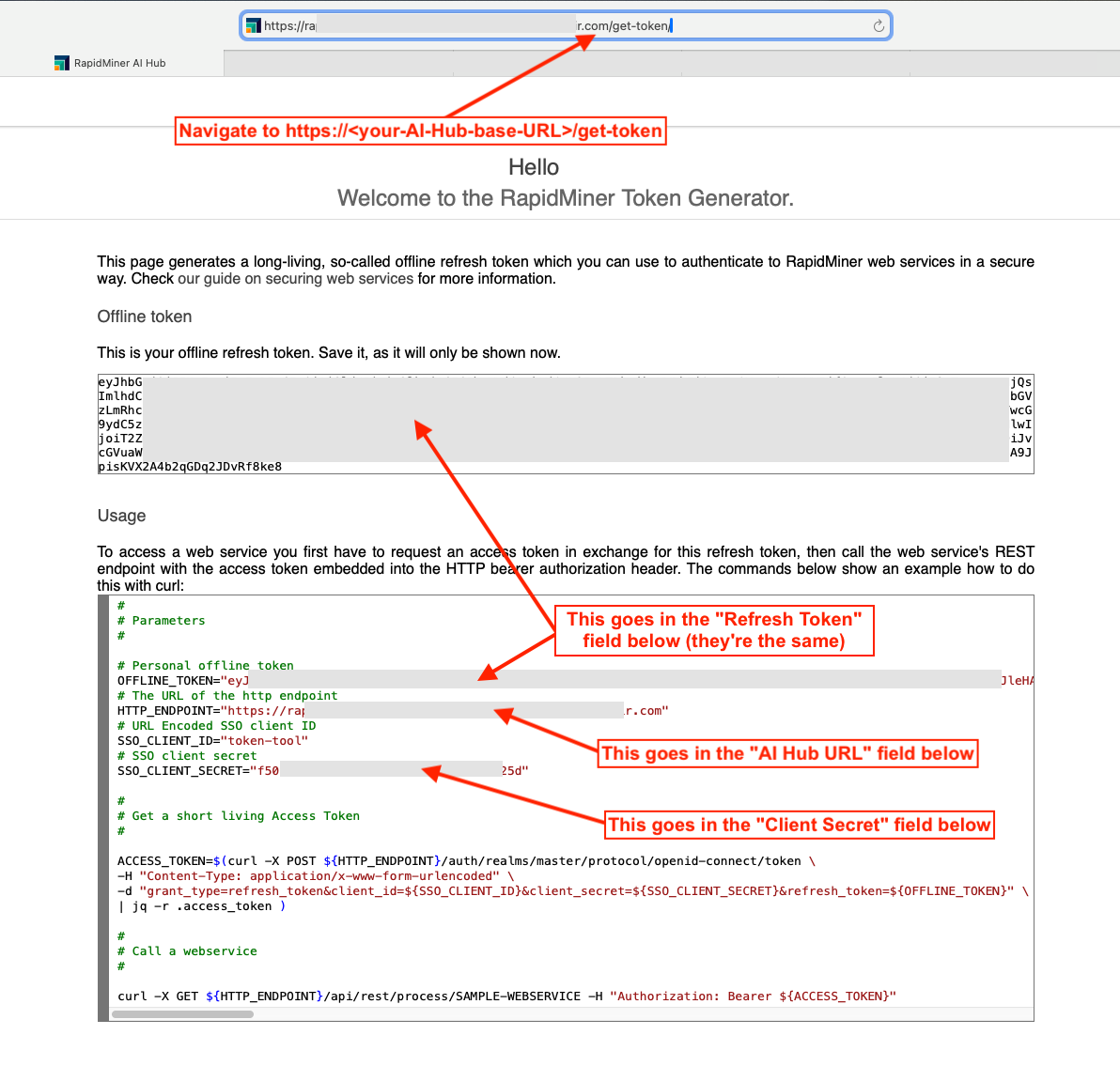
Communication with Rapidminer AI Hub in Rapidminer AI Studio is done using the Admin Tools extension. Download the extension via the Marketplace and create a new Rapidminer AI Hub connection IOObject with token authentication. You can get your Client ID, Client Secret, and Refresh (Offline) tokens by going to https://<your-AI-Hub-base-URL>/get-token:
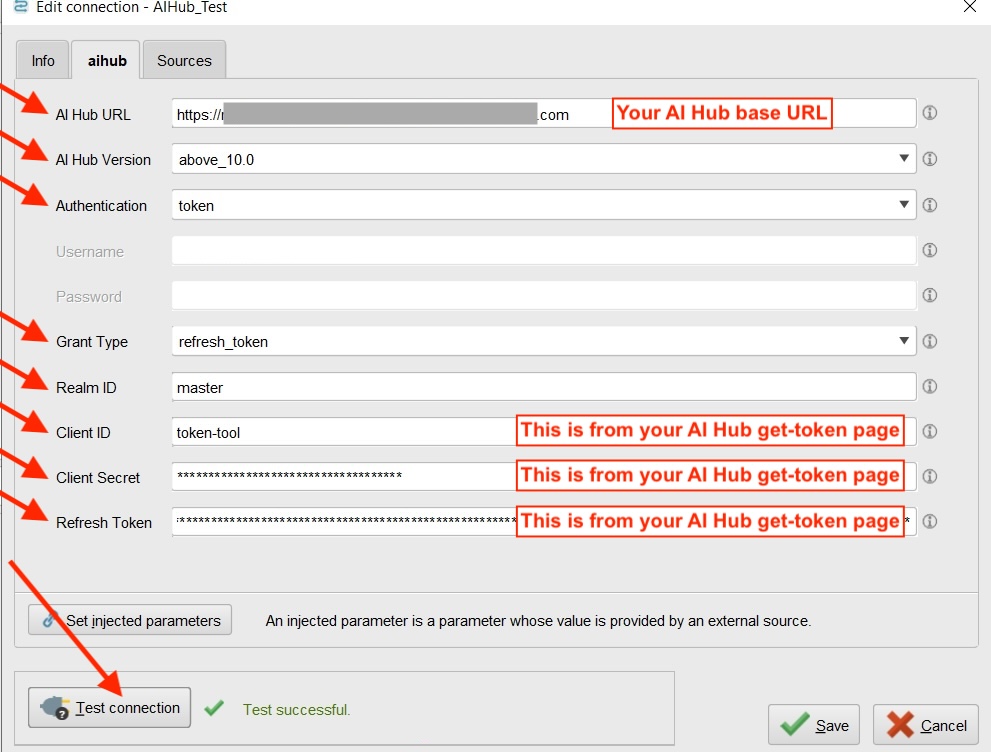
Then in Rapidminer AI Studio, create a new Rapidminer AI Hub connection IOObject with the following entries:
The Rapidminer Academy has a good video explaining how to do this.